Web Scraping
Automating Web Data Gathering using Python
Introduction
This project aims at automating web data gathering using Python and on Jupyter Notebook hosted on Google Colab. It entails obtaining structured data from a live website i.e. Three important libraries were used:
Requests for handling HTTP requests, BeautifulSoup for parsing HTML, and pandas for storing and manipulating data. Data was collected and organized into a DataFrame, and the results exported to a .csv file.
Project Execution
Important libraries requests, BeautifulSoup, and pandas were imported

The link to the live website was then assigned to a variable url and requests to handle http requests from the website

Data was extracted from the provided web page using
BeautifulSouplibrary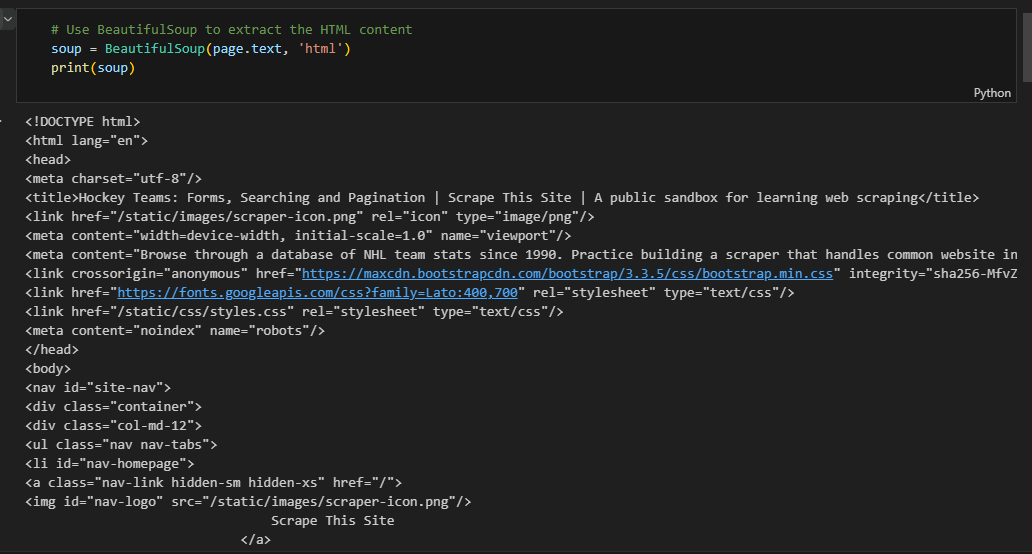
Hockey scores data table was extracted from the entire dataset
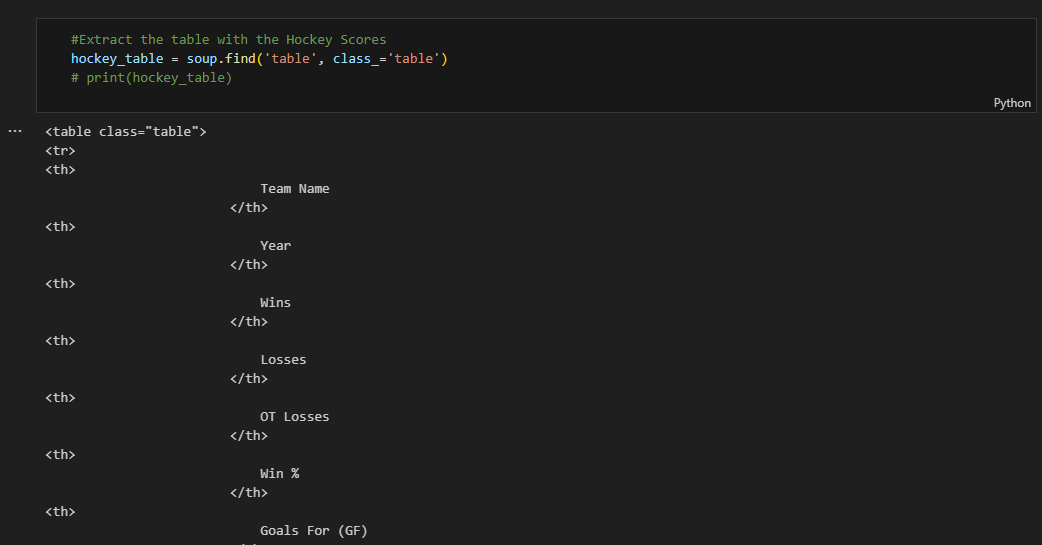
The table headers were extracted from the table as part of data wrangling

The Hockey table headers were then saved in a Pandas DataFrame

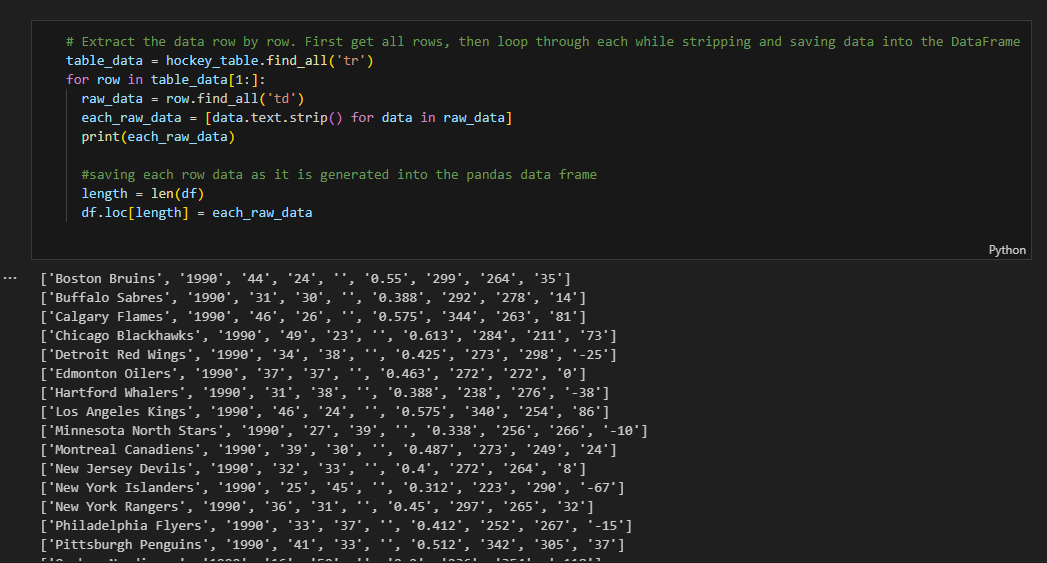
Loop through the entire dataset and save the data to a Pandas DataFrame
Inspect the DataFrame
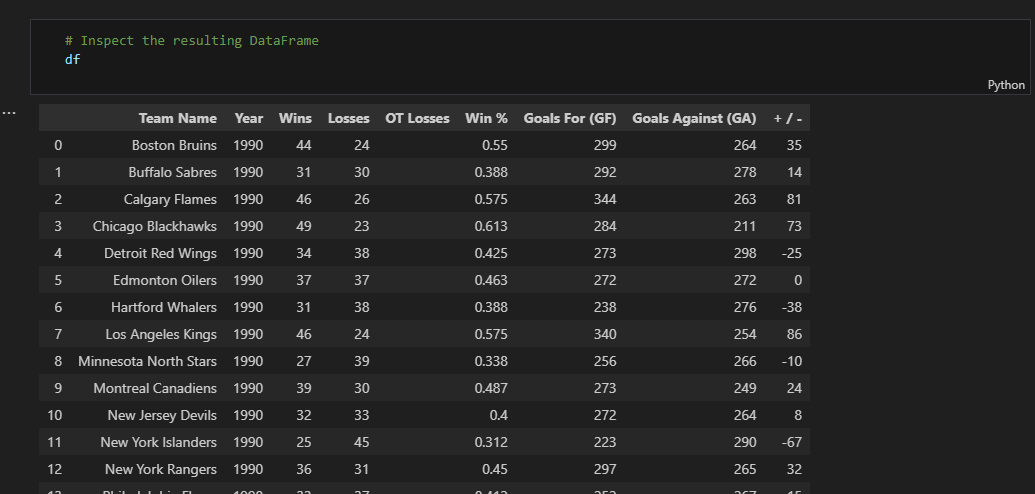
Check the shape. The Hockey DataFrame consists of 25 rows and 9 columns

The Hockey DataFrame was saved as a .csv file

Conclusion
The structured data obtained from the website consisted of 25 rows and 9 columns. The columns include [Team Name, Year, Wins, Losses, OT Losses, Win %, Goals For (GF), Goals Against (GA), + / -]. It was stored into a Pandas DataFrame and later saved as a .csv file (Hockey.csv). The link to the code can be obtained below: